Edvora: Structuring a school website and its portals
What Edvora taught me about shared layouts, role boundaries, responsive design and reviewing AI-assisted changes in the browser.
Published
22 Nov 2026
Reading time
4 minutes
Written by
Abdulrahman Itseghosime Bello
Next.jsTypeScriptReactFull-stack developmentSystem architectureAI-assisted development
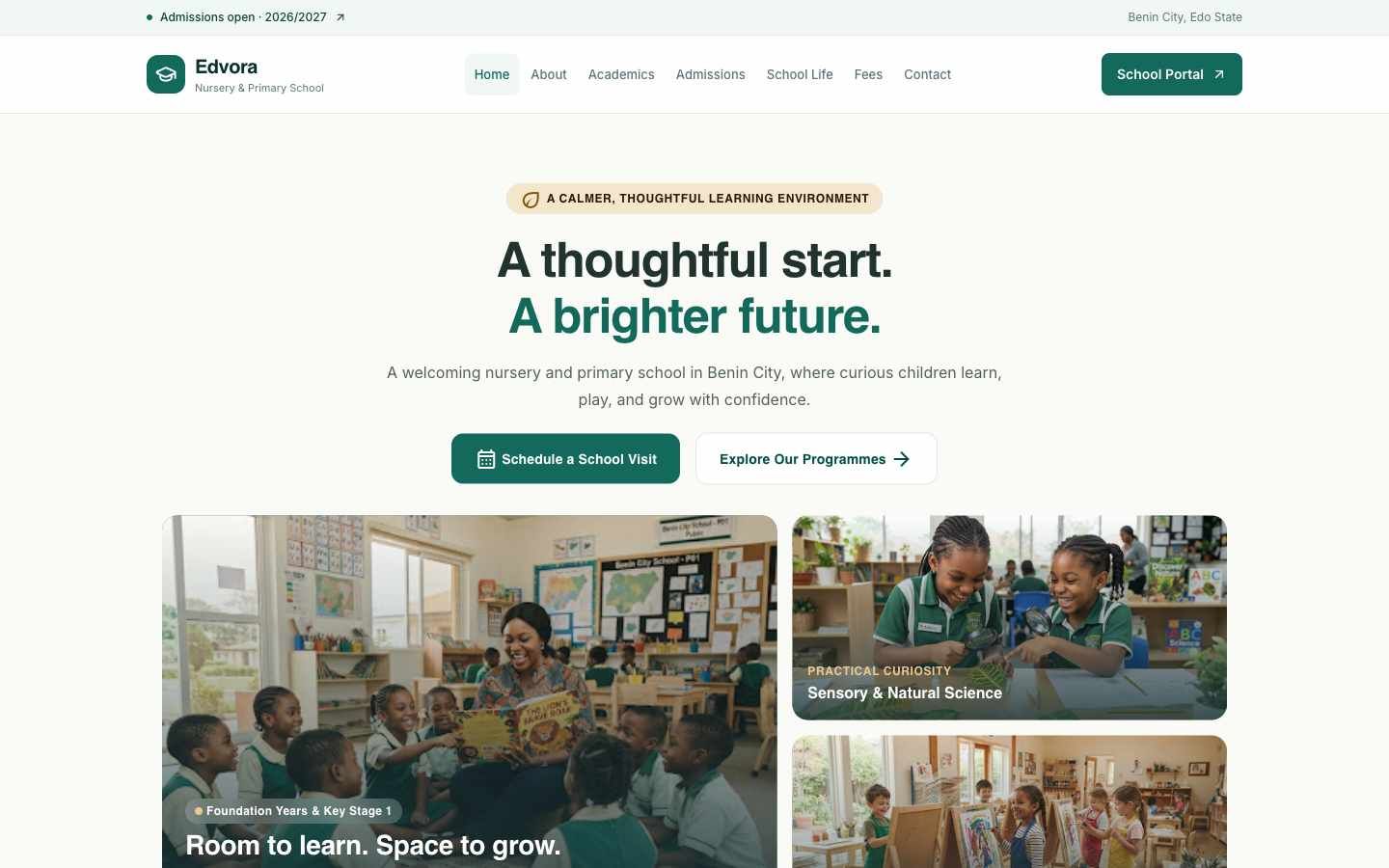
The desktop homepage brings programmes, admissions and portal access together.
A parent exploring a school and a student checking results can arrive on the same website with very different intentions. The parent might want to see the programmes or book a visit. The student already knows where they want to go and needs a quick way into the portal. That distinction shaped how I approached Edvora.
I worked on Edvora while growing into full-stack development and keeping up with AI coding tools. The project combines a public school website, a student interface and a staff workspace. I used it to think about where those experiences should share code, where they should be separate, and what a browser review can actually prove.
Decide what stays visible on a small screen
The public homepage needs to help prospective families understand the school and choose what to do next. The School Portal link serves a different group of people, so I kept it visible in the header. When the main navigation collapses on mobile, returning users can still reach the portal without opening the menu.
On the homepage, the main actions have room to stack on narrow screens. The goal is simple: a parent should be able to find programmes or the school visit action, and someone returning to the portal should be able to skip straight to it.
A useful design brief describes those tasks. If I only ask an AI assistant to improve a mobile header, it might move every link into the menu and produce a cleaner-looking screenshot. Stating that returning students and staff need immediate access gives me a concrete way to judge the result.
Separate the public site, student portal and staff workspace
The Next.js app gives the student and staff areas their own layouts. Each can keep the navigation its users need while sharing smaller components and a common visual system. A staff member managing records has a different set of actions from a student reading results.
A separate layout is useful for navigation, but it is not an access rule. If a screen reads a student’s results or lets staff change a record, the data layer still needs to check who is making the request and whether they should be allowed to act. That distinction is one of the things I pay more attention to now as I get deeper into full-stack work. The responsive review did not establish that those permission paths work end to end.
Check the behaviour outside the screenshot
The public navigation closes its mobile menu after a route change or when someone presses Escape. Those details are easy to miss in a static image. They matter when someone picks a page or decides to dismiss the menu and keep reading.
The responsive review covered 18 routes at desktop and mobile widths, including the public pages and portal screens. The staff Settings page exposed a horizontal overflow issue at 390 pixels, even though the homepage fit at that size. I corrected the overflow and checked it again at the width where it showed up.
That’s a habit I want to keep as I use AI on larger interfaces. I can describe the issue in terms of one route, one width and one expected behaviour. That makes it easier to inspect a proposed change and return to the same screen to see whether the problem is gone.
Be clear about what was reviewed
This pass covered the responsive layouts and selected navigation interactions. It did not exercise the school forms and portal services end to end. A student results screen can be readable on mobile while the data and permission flows still need their own checks.
Edvora helped me connect decisions I used to think about separately. Route layouts shape the experience, data and permission checks sit behind it, and the browser shows whether the interaction works for the person using it. AI helps me move faster through an iteration. I still need to know which layer I changed and what evidence I have that it works.