01 / Personal project · Rental platform / Web application
Nestly — Residential Rentals Platform
Nestly is a rental discovery prototype for Edo and Delta. I designed and built a browse experience for comparing homes and Nia, a property assistant that uses listing information to help answer questions.
- Role
- Developer
- Year
- In progress · 2026
- Client
- Independent project
- Stack
- Next.js · TypeScript · React · Tailwind CSS · Supabase
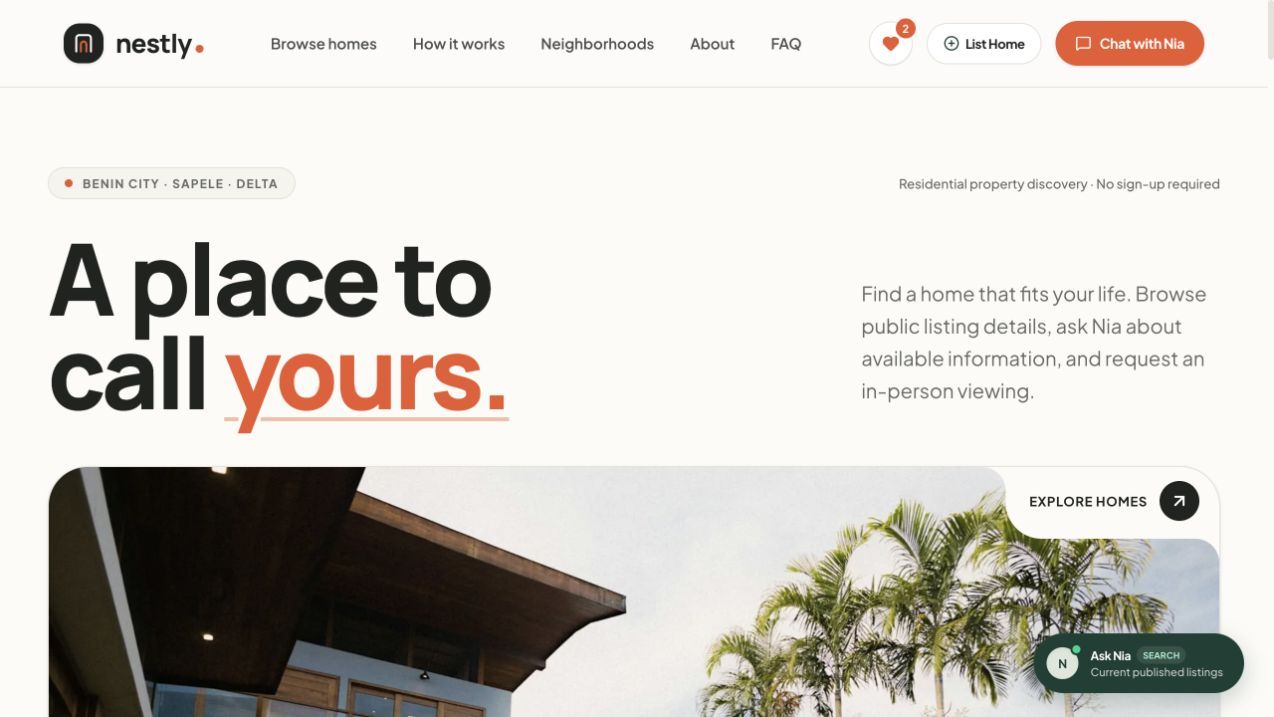
Project overview
How renters go from browsing to asking a question
Nestly is built around the early part of a rental search in places like Benin City and Sapele. A renter can start on Browse Homes, narrow the list by location, bedrooms, budget or property type, and compare annual rent and amenities on the cards.
Nia gives renters a second route into the same search. They can open it beside the listings and ask a question in their own words. I led the product and visual direction and implemented the prototype myself, using AI assistance to iterate on the interface and code.
The challenge
Make useful comparisons when listing details are incomplete
A renter might want a two-bedroom home within a budget, or have a specific question about solar power. The browse page needed filters for the first kind of search and enough detail on each card to make comparing results worthwhile.
The same problem carries into chat. Nia’s search workflow uses explicit filters and looks up property records. Missing details remain visible in the browse interface, where a card can say “Availability not listed.”
Scope and ownership
What I built for rental discovery
I designed the renter experience and built the Next.js interface and the supporting property search workflows.
01
Product design
Product and visual direction
Designed the homepage, Browse Homes and Nia as two connected ways into the same rental search.
02
Frontend development
Browse Homes and filters
Built search controls for amenities, location, bedroom count, maximum rent and property type, plus sorting.
03
Listing interface
Property cards
Brought annual rent, key property details and availability labels into each card, with links to property details and viewing requests.
04
AI and data
Nia’s property search
Worked on the search workflow that translates a renter’s question into filters and retrieves property records for Nia to reference.
05
Interaction
Reviewable voice input
Built a speech-to-text flow that lets a renter speak, stop, then review or edit the transcript before sending the message.
06
Staff tools in progress
Enquiry follow-up
Developing the lead management and staff handoff paths, including how a conversation passes to a person and resumes with context.
Development process
From listing filters to conversational search
I shaped the browse experience around the details renters compare, then connected those same search criteria to Nia.
01 · Discovery
Decide what renters need to compare
Mapped the search around location, budget, bedrooms, property type and amenities, and gave missing availability its own label.
Browse filters · Property cards
02 · Implementation
Connect Nia to property information
Built the chat interface alongside Browse Homes and developed the workflow that looks up listings using the criteria in a renter’s question.
Nia chat panel · Property search workflow
03 · Interaction
Add a review step for voice messages
Added speech input with an editable transcript so renters can check details such as place names and rent before sending.
Speech-to-text input · Transcript review
Interface showcase
Two ways to look for a rental
These captures show the browse and assistant interfaces in the current prototype.
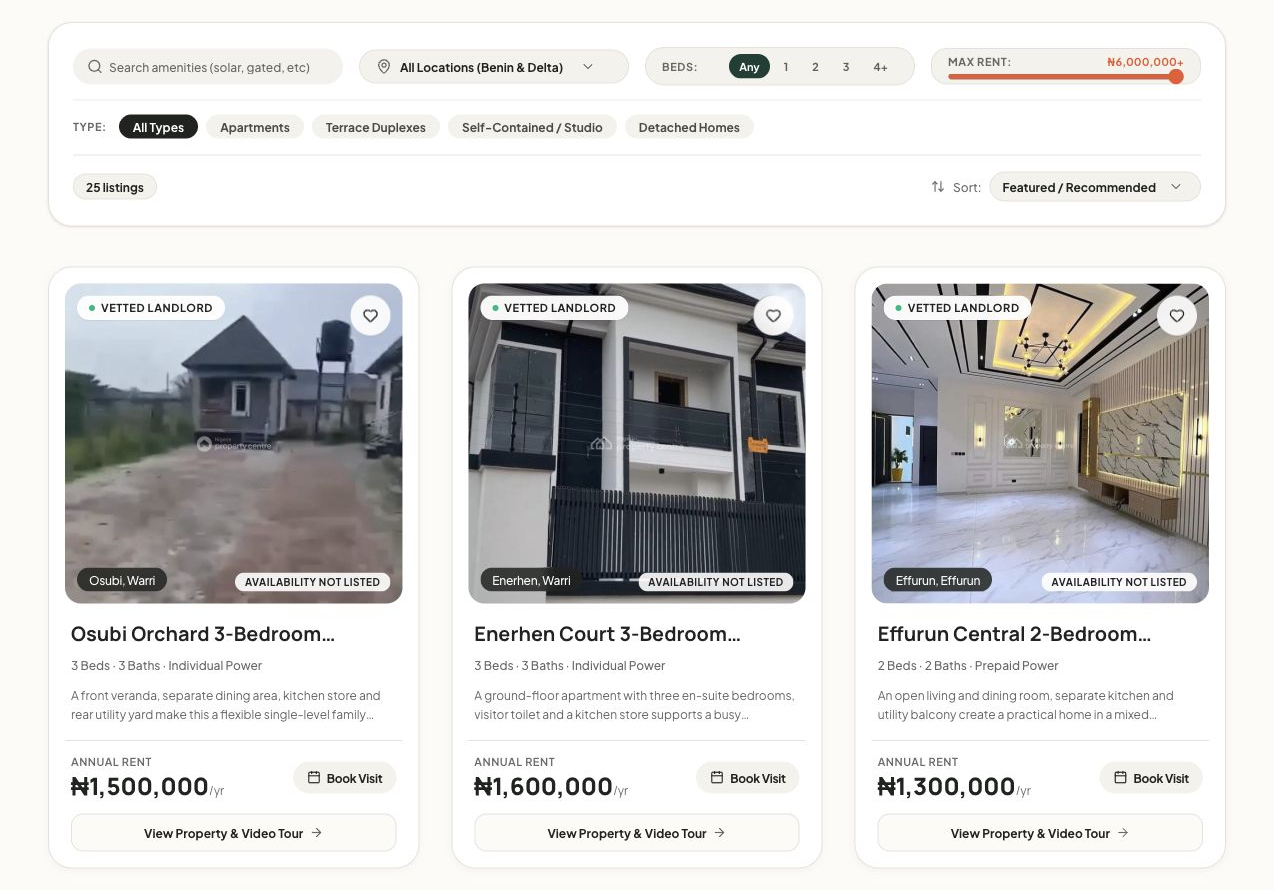
Browse Homes: filters and listing cards
Filter by amenities, location, bedrooms, maximum rent or property type. Compare the cards by annual rent and check whether availability is listed.
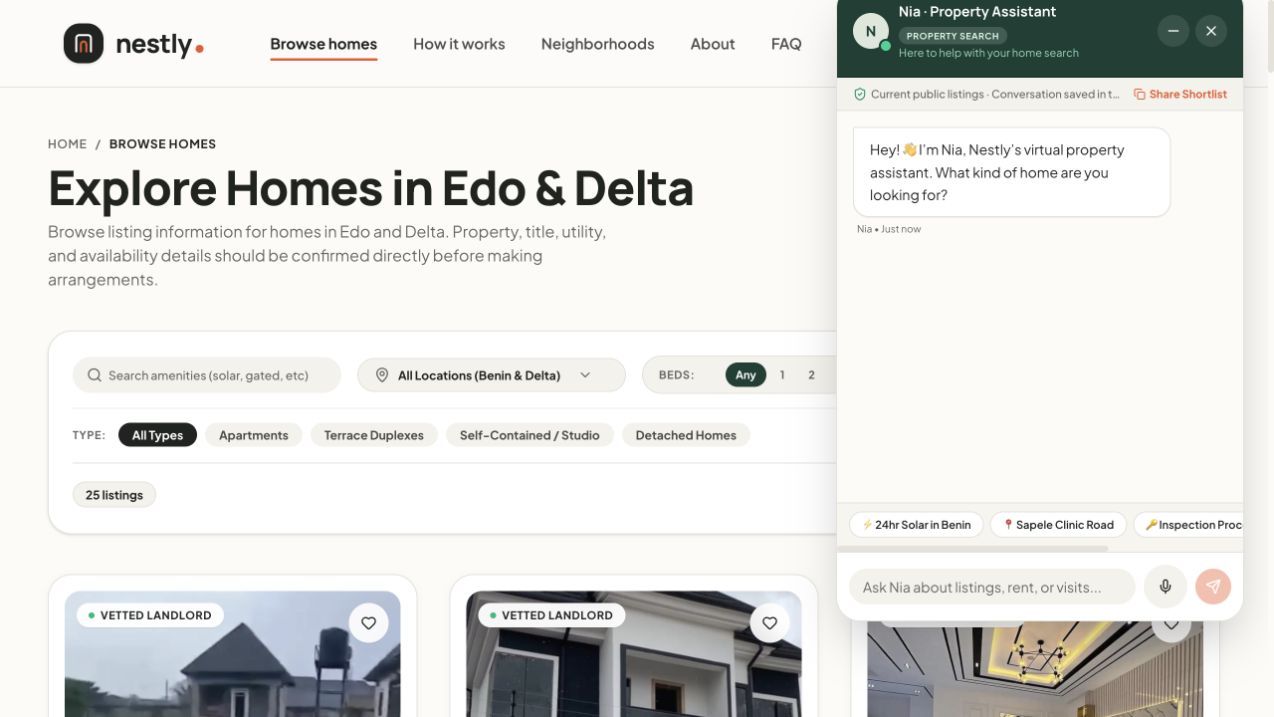
Nia: property questions alongside listings
Nia’s panel stays beside the browse results and offers suggested prompts about solar power, location and the inspection process.
Technical implementation
Two decisions behind the rental experience
Excerpts from the property gallery and Nia’s message composer show how I handled photo loading and voice input.
Choose an example to explore
2 code examples are available in this panel.
Click any option below
typescript
const decodeCache = new Map<string, Promise<boolean>>();function decodeUrl(url: string): Promise<boolean> { const cached = decodeCache.get(url); if (cached) return cached; const p = new Promise<boolean>((resolve) => { const img = new Image(); img.decoding = 'async'; img.src = url; img.decode().then( () => resolve(true), () => resolve(img.complete && img.naturalWidth > 0) ); }).then((ok) => { if (!ok) decodeCache.delete(url); return ok; }); decodeCache.set(url, p); return p;}Decode property photos before showing them
The gallery waits for the next photo to decode before swapping it in. It shares the promise when the same URL is requested again and clears failures from the cache so a later attempt can retry.
Explore the build
Experience Nestly
Explore the public rental prototype. Browse listings and see where Nia fits into the search.
Preparing preview
Loading isolated preview…
Tour 01
Browse homes
Open Browse Homes and compare the listing cards.
Tour 02
Find a specific fit
Try filtering by location, bedrooms and maximum annual rent.
Tour 03
Open Nia
Find the assistant on the public interface and look at its suggested property questions.
Results and reflection
A working prototype for browsing and property questions
The current prototype demonstrates the path from browsing and comparing listings to asking Nia a property question. Nestly is still in development.
Outcome
Rental discovery interface
Renters can narrow the listing view and compare property details and annual rent from the results.
Outcome
An assistant tied to property information
The prototype pairs a listing lookup workflow with a chat panel and editable speech input.
Learning
Make missing details visible
The availability label gives the interface a clear way to show when a listing does not provide that detail.
I’m continuing work on the staff follow-up flow, including verification of the full website and Telegram handoff.